Sale prijs € 2,12.
Originele prijs € 2,82 per kaart
Je bespaart 25%
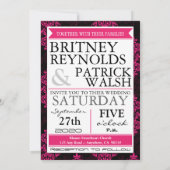
Roze damast & zwarte trouwuitnodigingen kaart
Bekijk productdetailsOver Uitnodigingen
Aangeboden door
Over dit ontwerp
Roze damast & zwarte trouwuitnodigingen kaart
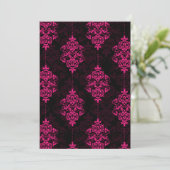
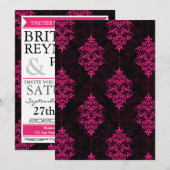
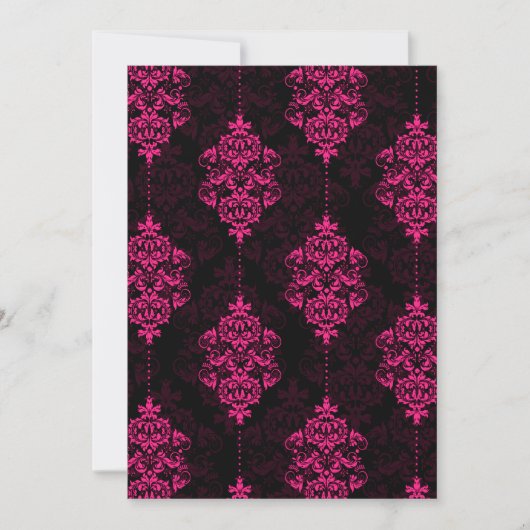
Hot Pink Damask & Black Wedding Invitations--match the invitations and more found below. These modern invitations feature a hot pink and black chandelier damask print. The text side features hot pink stylish line and text box dividers. Each invitation comes with a fitted white envelope.
UPGRADING CARD STOCK
Currently, Zazzle offers many different types of card stock to choose from. By default, this design is set to basic thick card stock. You can upgrade to linen, felt (embossed), recycled and several metallic shimmer styles--ice, champagne, silver and ice for added luxury. To upgrade, click on the light blue-gray rectangular tab that reads, "2) Choose your style, size and paper type." A menu will pull up. Under paper, click "see more." The upgraded prices will be shown with available paper types and descriptions. Hoover your mouse over each paper type box for a description. If you click on the metallic paper box, a drop down menu will appear directly at the bottom of the paper type where you can change the default (champagne) to silver, ice or gold. To revert back to basic card stock, find the "basic" box under "2) Choose your style, size and paper type." It's listed with all of the other options.
CUSTOMIZING THIS INVITATION
Due to the complexity of the font design and name length variations, you will more than likely need to make changes with font sizing and/or move around the name text for the bride and groom. With that said, follow the detailed instructions below to make your invitations perfect with your custom details. Not all steps and options will likely need to be used; however, all information is presented so that your invitations will be perfect and to help those with basic computer skills.
Step 1 -- Change all demo information to your own. To the right of the demo, you'll see the "Personalize It" option. It has a large number "1" next to the text. Fill out the field boxes with your details. Make sure that you use the side scroll to avoid missing any of the field boxes. Hold down your mouse button on the side scroll to move it up and down.
Step 2 -- Click on the demo card with your mouse. This will update all of your personal details from the demo information.
Step 3 -- Look over the invitation to check that you didn't skip over a box or accidentally misspell any of your words. You can hoover your mouse over the invitation to enlarge parts of the design. You can also click on the magnifying glass above the invitation demo (right hand corner) to bring up a pop up enlarged version of the invite.
**Does the online digital sample appear satisfactory to you after looking over the invitation? If so, you can proceed to checkout by adding it to your cart. To add it to your cart, select the quanity by clicking on the drop down arrow. This feature is near the top right hand corner of the page. Choose the number of invitations that you need via the drop down menu then click the orange "Add to cart" button. Follow the on-screen instructions provided by Zazzle for payment and finalizing your checkout.**
**Proceed to step 4 below if you need to make changes to name placement, font size, coloring and more.**
Step 4 -- Click on the orange "Customize it!" button below the invitation demo. It's at the bottom right side of the invite. You will have several gray tabs now that are above the invite demo--product, design, a box with dots and the magnifying glass.
Step 5 -- Click the "design" gray tab above the invitation demo.
Step 6 --Familiarize yourself with the "Customize it!" features to the lower right of the invite demo. You'll notice your personal details in gray rectangular boxes with yellow boxes to the left of each detail. These are the field areas that you changed in a previous step. When you hover your mouse over those rectangular boxes, it will highlight them and create a dotted box around the text on the invitation demo.
Step 7 -- Click on the gray rectangular box with your detail that needs to be resized and or moved on the invitation.
FONT RESIZING
Under the "customize it!" options, there are several buttons and drop down options. To change the font size, look for the "f" symbol. Directly to the right of the "f" symbol there is a small box with tiny plus and minus tabs with a number. This is the font size. By clicking the plus (+) small tab or minus (-) tab, you can increase or descrease the sizing of your words. To make very small adjustments to the text size, hold down your "Ctrl" key on your keyboard and then click the plus or minus font buttons to increase or descrease the font size.
MOVING WORDS AROUND
You can move around the text via 2 ways. The first way that you can do this is by completing step 7 to highlight the text that needs moved--then using the arrow buttons under the "customize it" area. The arrow buttons are directly below the "add images" button. By clicking the arrows, you can move the text up, down, to the left or right by clicking them. To make very small movement changes, you can hold down the "Ctrl" key on your keyboard and click the arrows on the screen with your mouse. This is the recommended way to move text around. Click on the magnifying glass above the invitation demo and glance over each change to make sure words are positioned to your satisfaction.
The second way it move words around--Follow step 7 for each word that needs to be moved. Look on the screen at the demo invitation. A box will appear with dotted lines and gray squares. Hover your mouse over the box until you see a 4-way arrow symbol. Hold your mouse button down. This will allow you to drag the word around on the invitation. This is the least recommended way due to the fact that by dragging text around then chance of wordings lining up improperly is likely. If you have a steady hand then you might prefer this method. Click on the magnifying glass above the invitation demo and glance over each change to make sure words are positioned to your satisfaction.
Repeat step 7 to switch to a different word that needs to be moved. After moving around the words that needed to be moved, repeat step 3 to look over the details of your design before checking out.
CHANGING THE FONT STYLE OR COLORING
If you would like to change the font or coloring of the font from the demo styles that are set you do this by following these tips. If you are satisfied with the fonts and colors, you do not need to make any changes before checkout. To change the fonts, follow step 7 then click on the "f" button. A box will pop up with various different font styles that you can choose from. To change the coloring, follow step 7 then click on the solid colored square button that's a couple of buttons to the right of the "f" button. A pop up small box will appear with tons of various colors. Click on the coloring that you like to change your text to that shade. Your invitation digital demo will then update. Please note that you might want to write down the hex color code if you plan to use the same color for various details--for example, to match the bride and groom names. Click on the colored square again and look to right bottom corner of the pop up box. That is where the hex color code is located. Jot it down on a piece of paper. Repeat step 7 for moving to another detail then click on the colored square and double click the hex color code then type in the code that you wrote down.
FIXING MANY MISTAKES
If you make several mistakes with the word positions, colors or fonts and are having difficulty fixing them, you can click the "revert" button to start completely over from scratch. You will need to re-enter all of your personal details. This feature reverts everything back to the original demo. The revert button is below the "customize it" features on the right hand side.
Ontwerp van international designer

Klant beoordelingen
4.9 van 5 sterren beoordeling14 aantal beoordelingen
14 Reviews
Beoordelingen voor identieke producten
5 van 5 sterren beoordeling
Door Saskia W.12 december 2018 • Geverifieerde aankoop
Enkele uitnodiging, Maat: 12,7 x 17,8 cm, Papier: Signature Mat, Enveloppen: Wit
Zazzler recensent programma
Prachtige kaarten, mooie details en goede kwaliteit. Helaas was de eerste levering kwijtgeraakt met de post, maar alsnog op tijd onze uitnodigingen binnengekregen om te versturen. We zijn er erg blij mee! Kleuren zijn precies zoals op de website, kwaliteit erg goed.
5 van 5 sterren beoordeling
Door Roland D.3 januari 2019 • Geverifieerde aankoop
Enkele uitnodiging, Maat: 12,7 x 17,8 cm, Papier: Signature Mat, Enveloppen: Wit
Zazzler recensent programma
Dikte van het papier goed. Mooie waterverf afbeelding van elegante bloemen. Heel romantische zachte uitstraling. Het product zag er de eerste keer niet helemaal uit zoals wij hadden verwacht. Er zat een soort vlak op de kaart met een andere kleur dan de achtergrond (wellicht omdat er iets bij het personaliseren niet goed was gegaan). Toen wij het aangaven bij de designers, hebben zij zeer adequaat en vriendelijk gereageerd. Wij kregen ons geld terug en konden de kaart opnieuw bestellen met de juiste instellingen. De tweede keer ging het helemaal goed en wij zijn nu ook zeer tevreden over het eindproduct!
5 van 5 sterren beoordeling
Door Stefani L.19 april 2023 • Geverifieerde aankoop
Enkele uitnodiging, Maat: 12,7 x 17,8 cm, Papier: Signature Mat, Enveloppen: Wit
Zazzler recensent programma
Superkwaliteit, leuk en origineel ontwerp. Volledig zoals verwacht. Goede kwaliteit papier
Tags
Andere Info
Product ID: 161555283382930622
Ontworpen op: 25-3-2012 16:45
Rating: G
Recent bekeken items